

Wedding projector ideas work best when the screen has a clear purpose, the room can be dimmed, the files are backed up, and the moment is timed so guests naturally want to watch.
A projector can make an intimate wedding feel cinematic, but it asks for more planning than simply plugging in a laptop after dinner. The sweetest setups treat the screen as part of the room: visible without dominating, emotional without dragging, and tested before anyone is holding a microphone and waiting. The full picture is in wedding dinner party ideas.
Recommended Wedding Products


You Might Also Like These Blog Posts
- Wedding Slideshow Picture Ideas That Feel Like a Shared Memory
- Wedding Content Creator Ideas for Memories You Get Tomorrow
- Wedding Mailbox Ideas for Notes Worth Saving
- Wedding Cornhole Board Ideas for Cocktail Hour That Feels Easy
- Wedding Carousel Ideas For A Nostalgic Little Spin
- Wedding Wish Card Template Ideas Guests Will Actually Answer
Wedding Projector Ideas That Make The Whole Room Feel Included
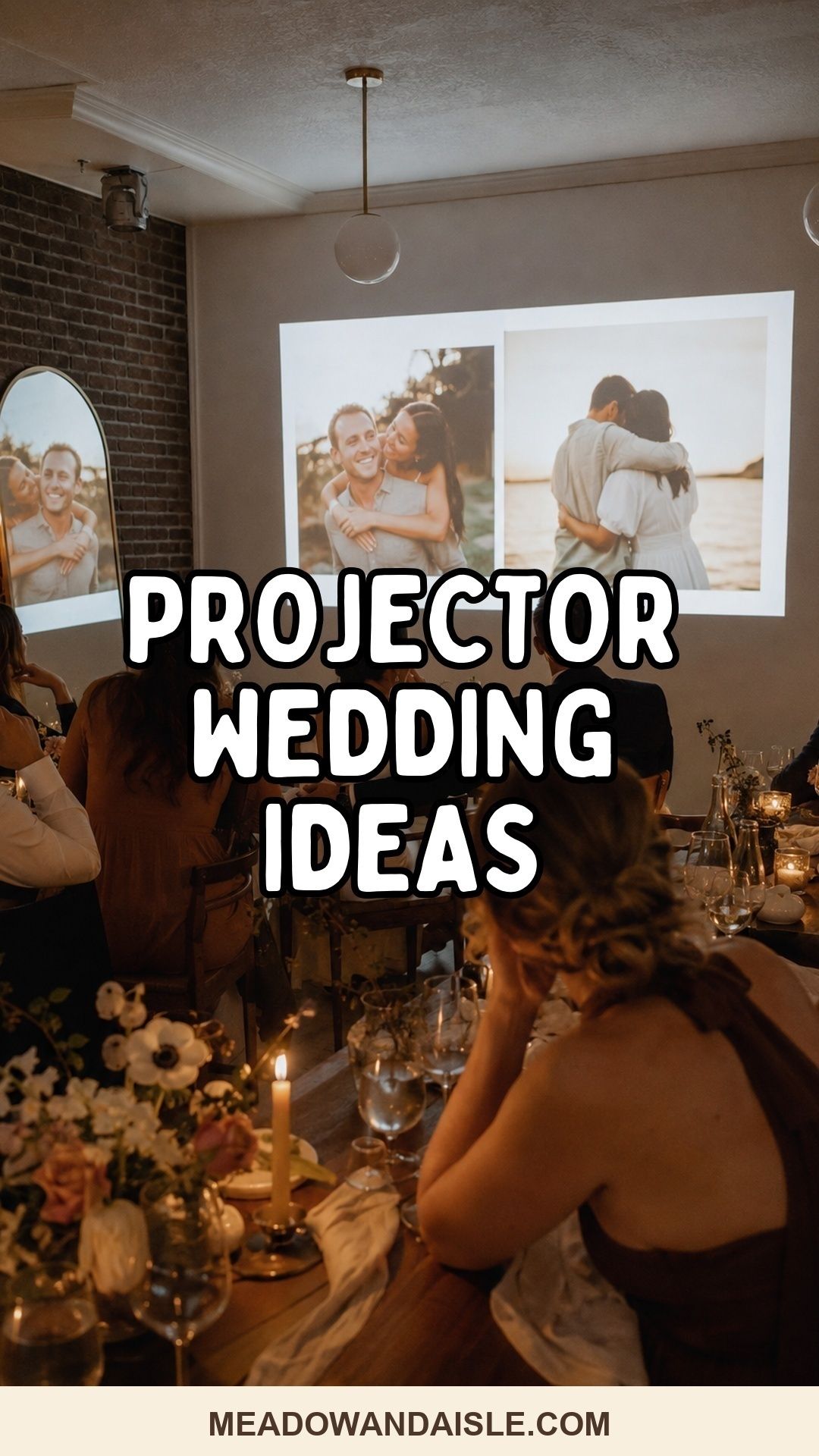
The best wedding projector ideas do not begin with the projector. They begin with the feeling you want in the room. Do you want guests laughing at childhood photos before dessert? Do you want a grandparent who cannot travel to appear during the ceremony? Do you want the reception to glow with slow-moving home videos, handwritten vows, or a wall of messages from the people who raised you?
For a small wedding, projection can feel surprisingly personal because the whole guest list usually understands the references. A photo of the couple’s first apartment, a clip from a family holiday, or a message from a friend abroad does not need much explanation. The room is already close enough to care. The practical work is making sure the image can actually be seen, the sound can actually be heard, and the timeline has a natural place for everyone to pause together.
| Projector moment | Best placement | Planning note |
|---|---|---|
| Couple slideshow | Dinner, dessert, or just before the first dance | Keep it short and export a backup video file |
| Live guest photos | Cocktail hour or reception background | Test wifi and privacy settings before guests arrive |
| Remote video toast | After in-room toasts | Route audio through speakers, not the projector |
| Ceremony visual | Processional, unity ritual, or memorial moment | Avoid bright daylight and blocked sightlines |
| Reception ambiance | Walls, draping, or a low-lit lounge | Use slow visuals that do not distract from conversation |
| Guest message wall | Late dinner or after cake | Moderate submissions and give the screen a defined window |
A Short Couple Slideshow Guests Will Actually Watch
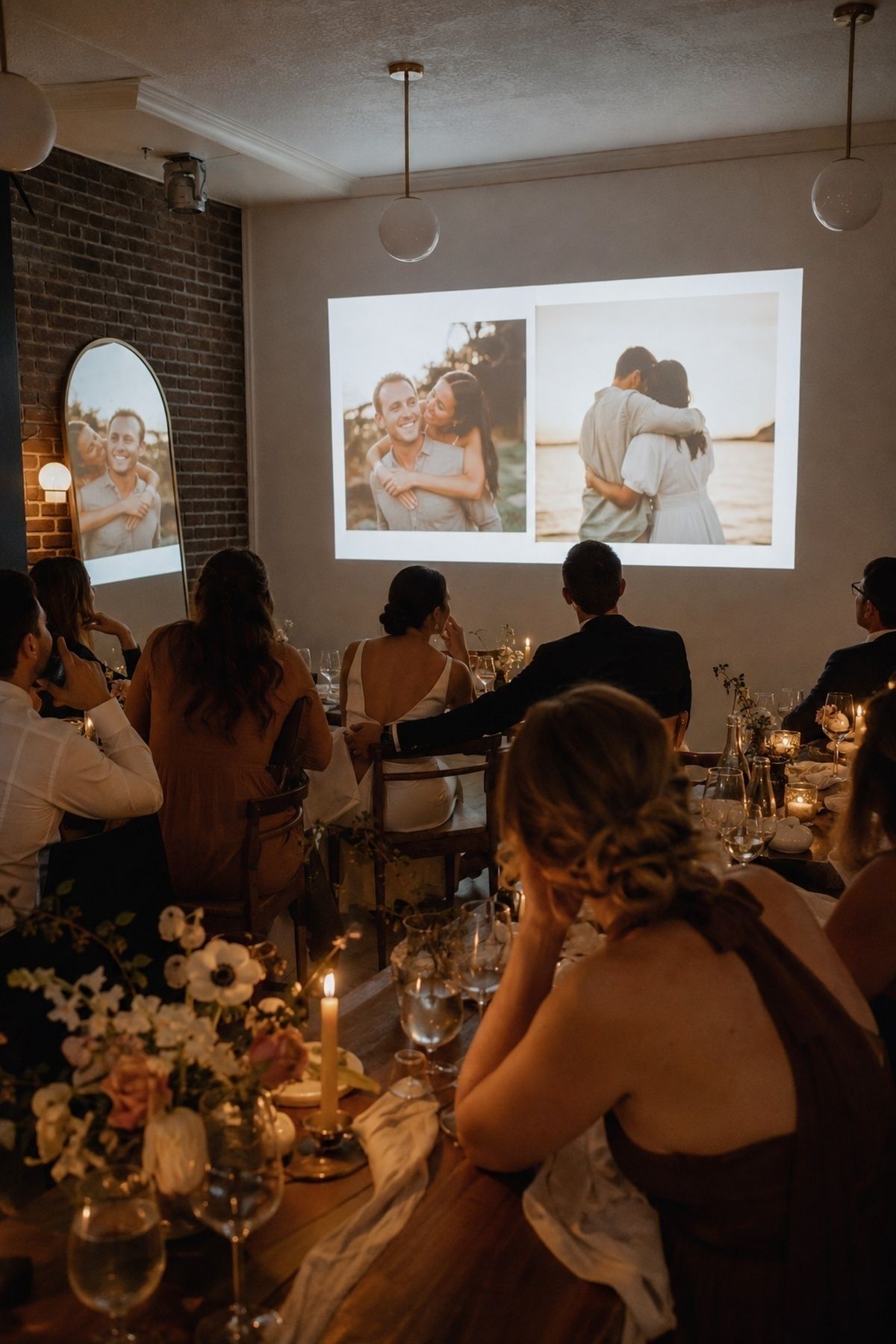
A wedding slideshow becomes stronger when it has an edit. Choose the photos that show a beginning, a few ordinary rituals, the people who shaped you, and the season that brought you to the wedding. Then stop before the room has time to drift. Five to eight minutes is usually enough for a reception; three to five minutes is even better if dinner has several speeches.
Do not make every guest watch every vacation, every engagement photo, and every childhood year. A small wedding already carries emotional closeness, so a lighter slideshow lands better than a long archive. Add music only if it adds feeling, and confirm whether the venue, DJ, or speaker setup can play it cleanly.
Live Guest Photos On The Wall
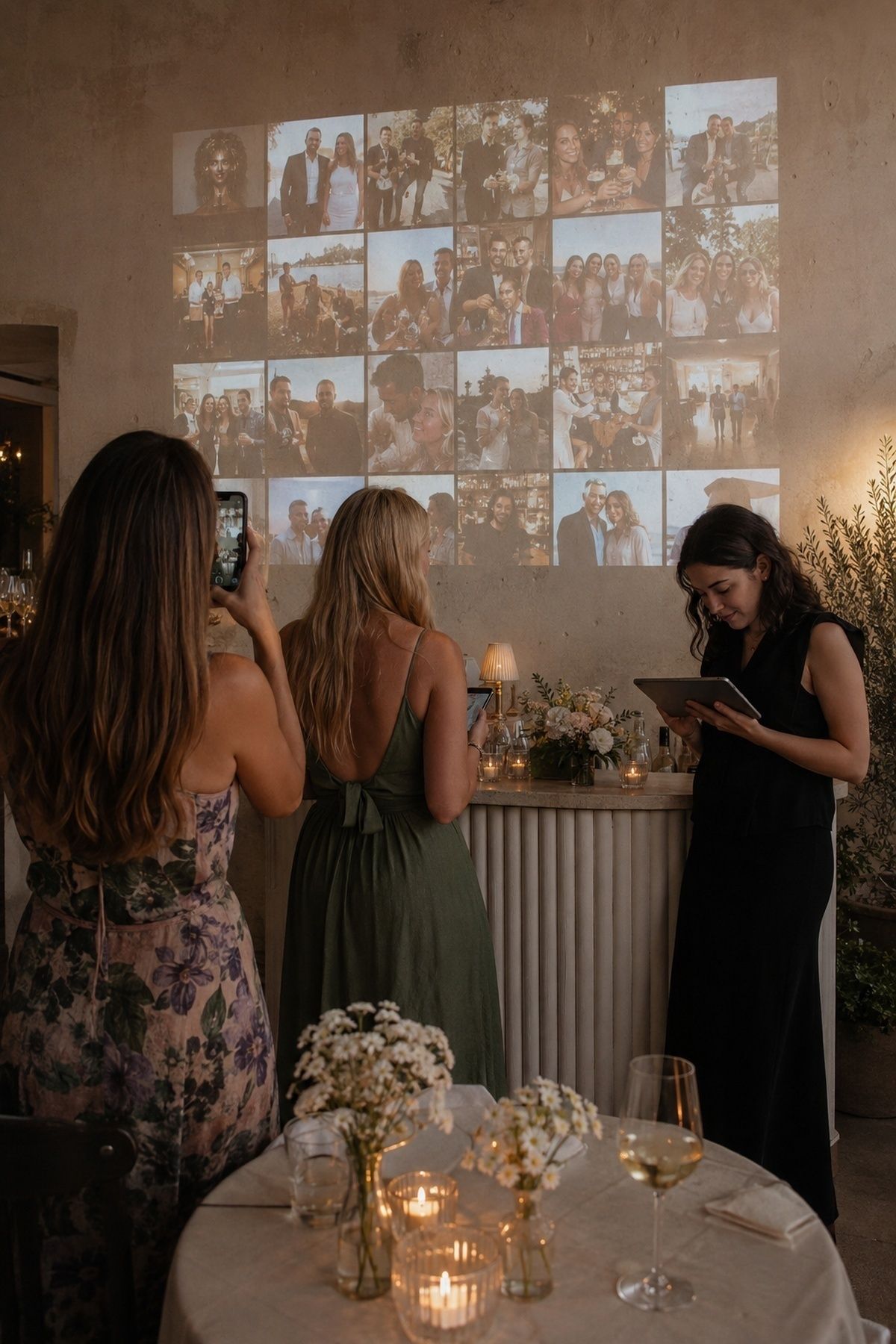
A live photo wall lets the reception watch itself become a memory. Guests upload photos, the images rotate on screen, and the room gets a gentle little spark every time someone recognizes a table, a dance, or a newly married expression. This works especially well during cocktail hour, dinner transitions, or the hour after formal photos end. For guests who would rather play than watch, these wedding cornhole board ideas add an easy lawn game.
Make the setup opt-in and moderated if possible. Put the upload instructions on a small sign, assign one trusted person to remove anything unflattering, and decide whether private family moments belong on the big screen. A projector should make guests feel included, not watched.
Remote Family Video Toasts
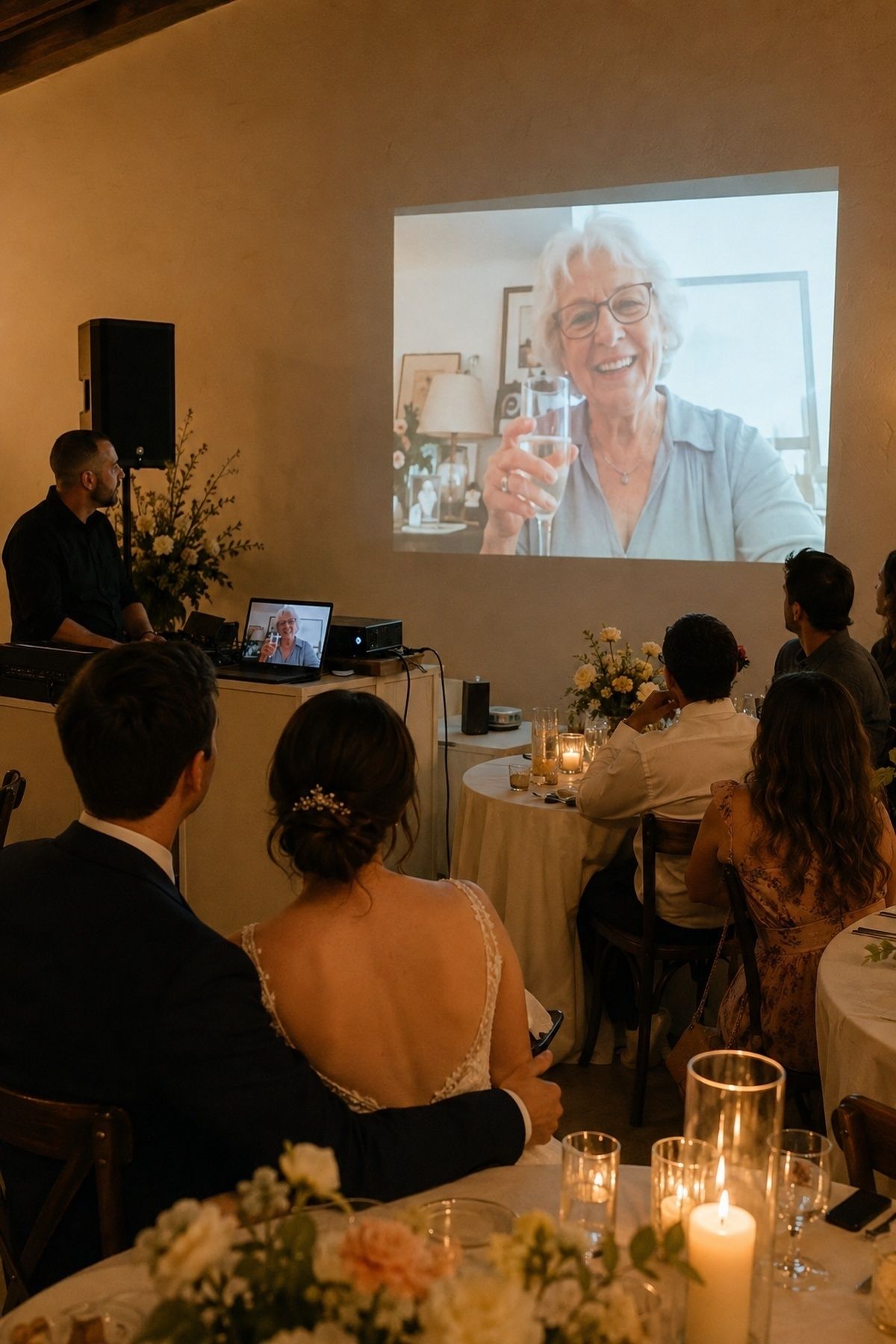
If a loved one cannot travel, a projected video toast can feel more present than a phone held awkwardly at the head table. Ask for the video in advance, download it, and trim any long pauses before the wedding day. The person on screen should be easy to see, but the sound matters even more than the image.
Never rely on the projector’s built-in speaker for a toast. Send the audio through the DJ, a small external speaker, or the venue system, and test it from the farthest guest seat. If the toast is emotional, place it after in-room speeches so the timeline has a soft landing instead of a technical scramble.
Ceremony Backdrop Visuals
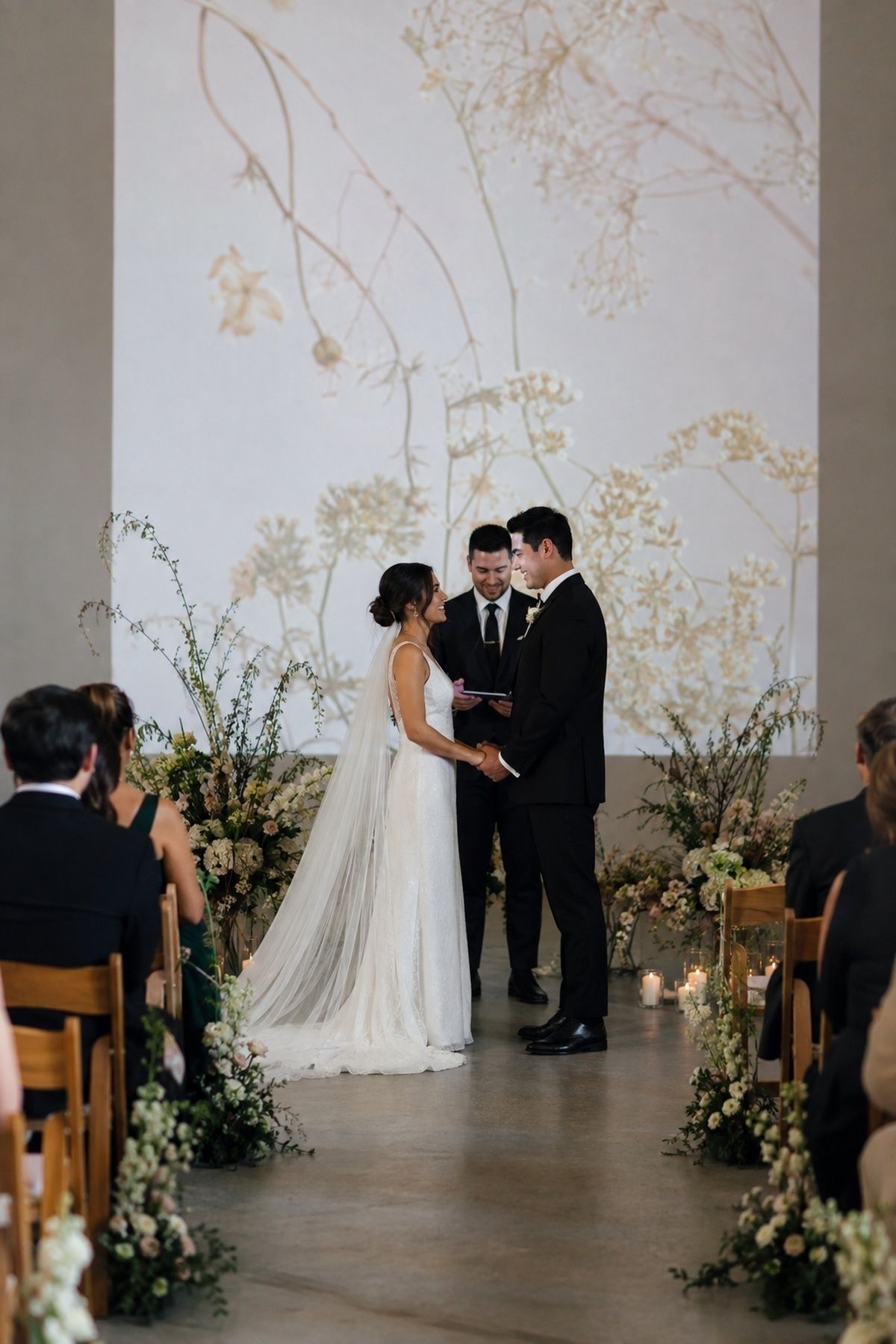
A ceremony projector can display a still image, a gentle moving texture, a poem, a family photo, or a simple visual tied to the venue. The key is restraint. Ceremony visuals should support the vows, not compete with faces, flowers, or the aisle. A pale image in a bright room will disappear, and a busy animation can pull eyes away from the couple.
Test the ceremony setup at the same time of day as the wedding, especially if windows, tents, skylights, or outdoor light are involved. If the image looks washed out during rehearsal, switch to a printed sign, framed photo, or fabric backdrop instead of forcing a screen that cannot win against the room.
Reception Ambiance Projection
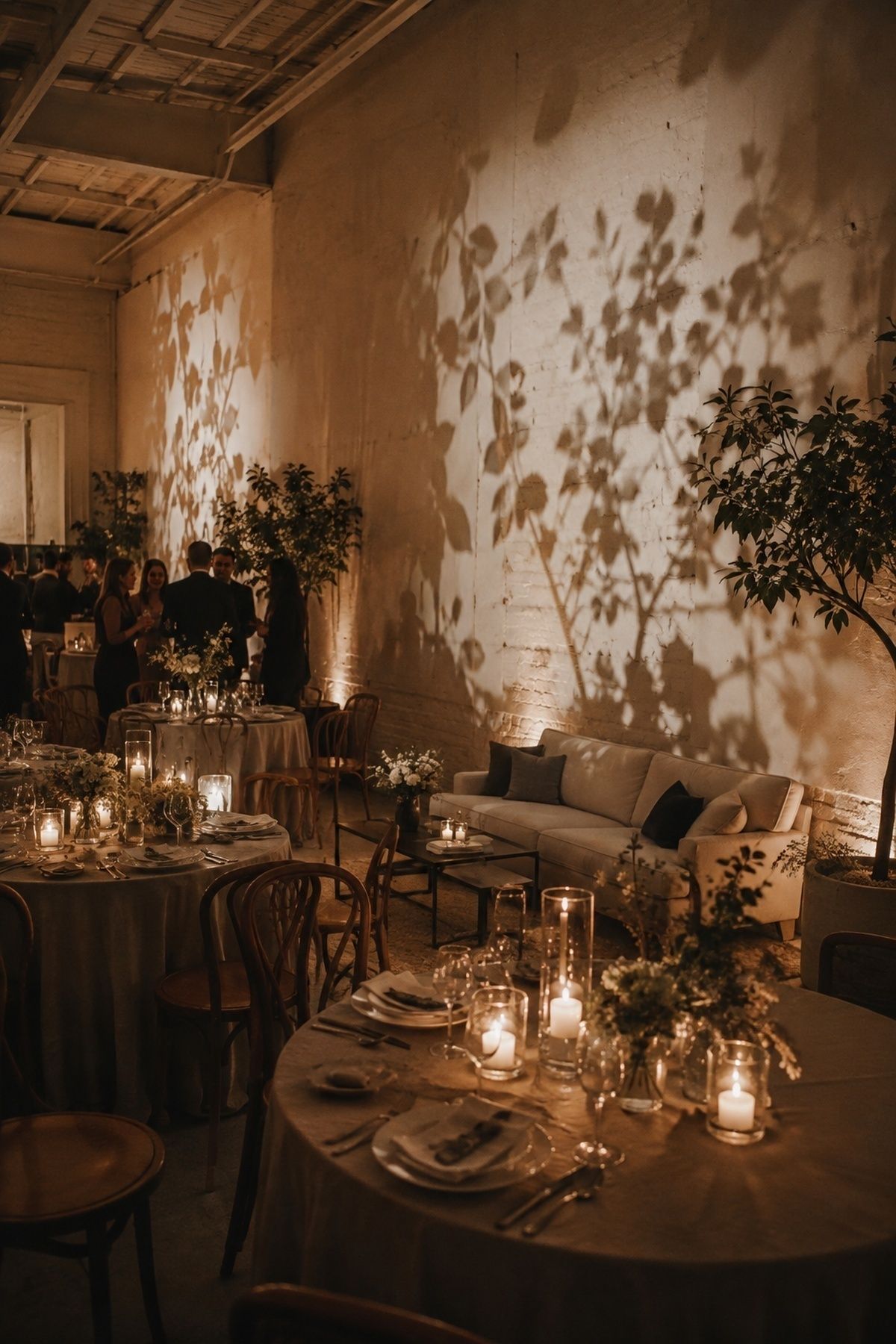
Projection does not have to be a seated viewing moment. It can create movement on a wall, cast soft botanical shadows, loop home-video texture, or add a candlelit glow behind a lounge. For intimate receptions, keep the visuals slow and quiet so conversation still feels like the center of the night.
Ambiance projection works best on a surface you have already inspected. Brick, patterned wallpaper, dark paint, mirrors, and windows can distort the image. A portable projector screen is less romantic than a plaster wall, but it gives you a predictable picture when the venue surface is unpredictable.
A Guest Message Screen
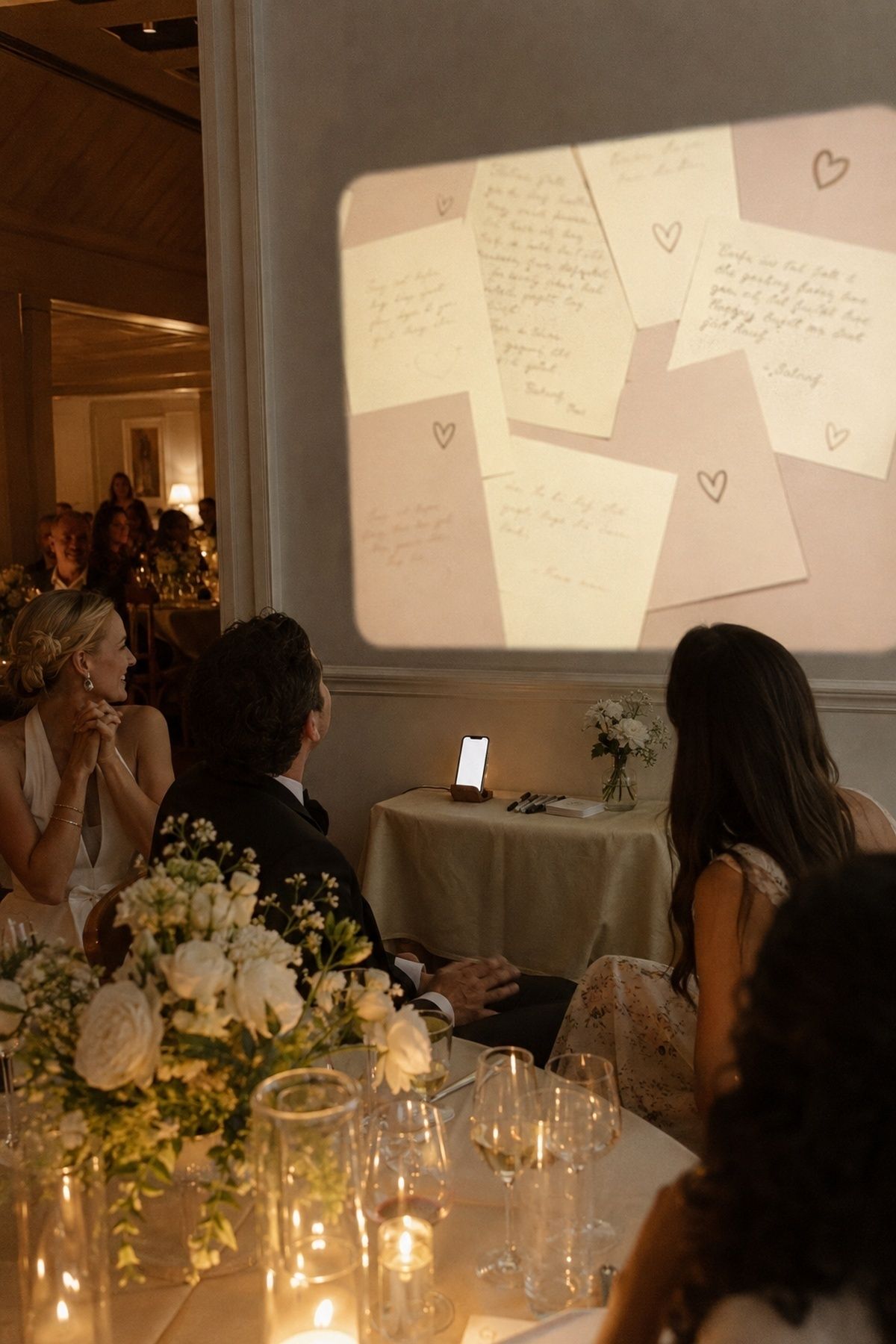
A guest message screen can replace a formal guest book for couples who want something more alive. Guests submit a note, voice memo prompt, short video, or photo, and the screen becomes a rotating love letter during dinner. This idea feels especially tender when the guest list is small enough that every message has a face behind it.
Give the message wall a window instead of leaving it on all night. Let it run during cocktail hour, dessert, or the last half hour of dinner, then fade it out before dancing or farewell moments. A defined ending keeps the screen special.
A Childhood Photo Toast
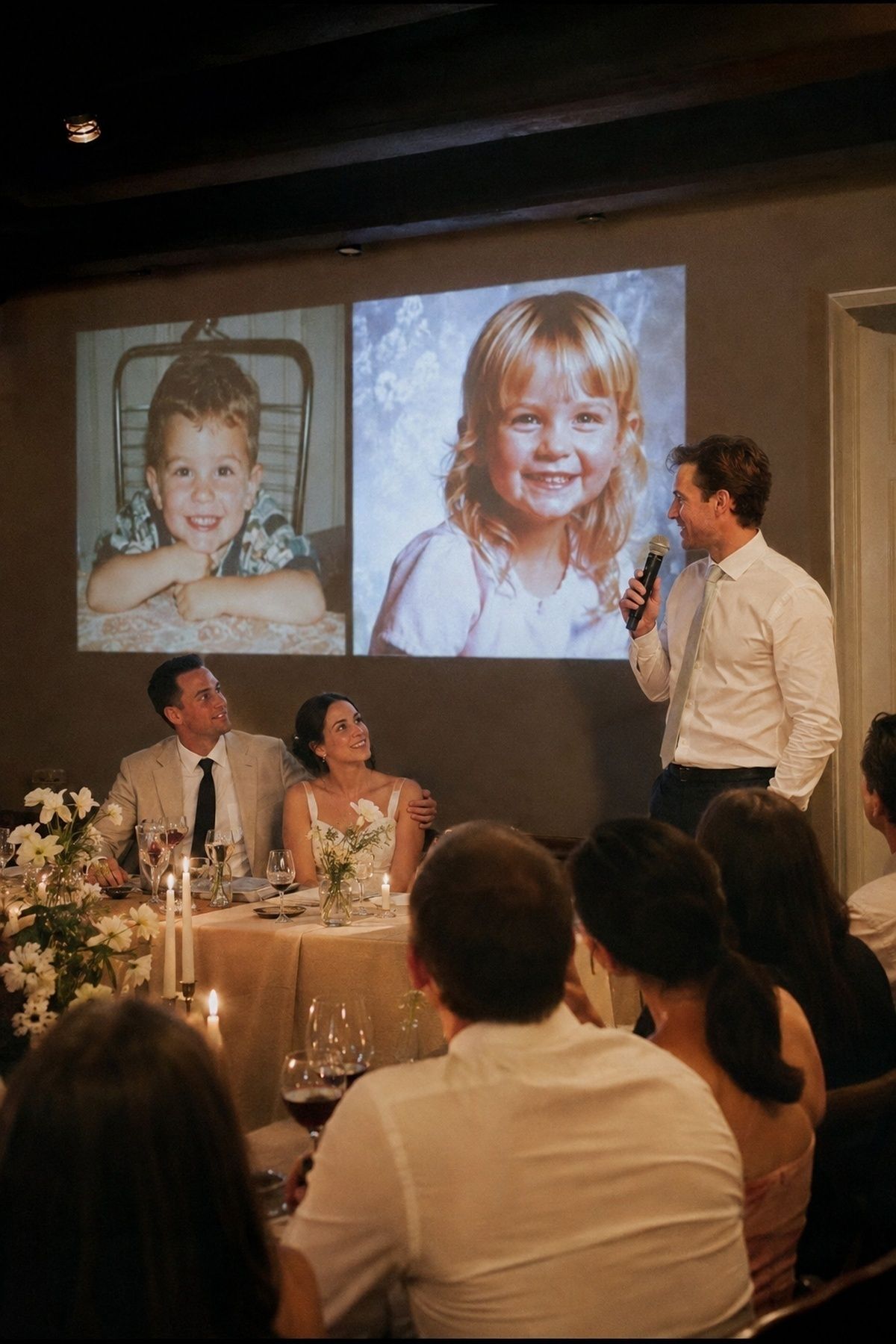
Instead of a full slideshow, choose one childhood photo from each partner and let a parent, sibling, or close friend speak briefly around it. This creates a tiny storytelling moment without asking guests to watch hundreds of images. It also makes older family members feel woven into the day in a way that is gentle and specific.
Ask speakers to keep the photo story warm, not embarrassing. The screen gives a memory extra size, so even a small joke can feel bigger than intended. A one-photo toast should leave the couple feeling loved, not displayed.
A Private Vow Excerpt
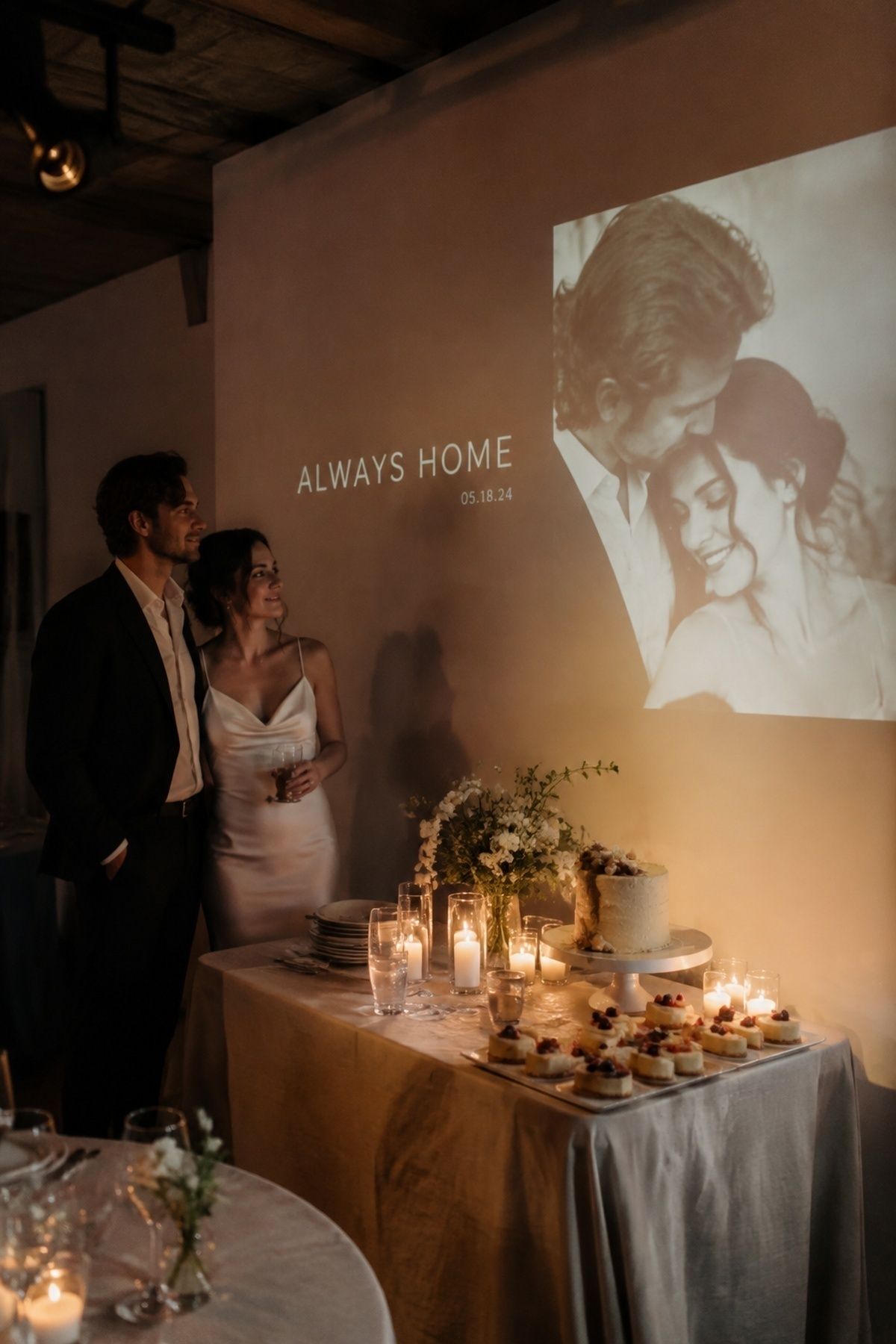
If you are exchanging private vows, a short projected excerpt can appear later at the reception: one sentence, a date, a place, or a line from the ceremony program. It should feel like a trace of the promise, not a full reveal. Pair it with a still photo, soft music, or a quiet dessert transition.
This is a lovely compromise for couples who want emotional detail without performing every private word. Keep the typography readable, avoid thin script fonts, and check the spelling on every name before exporting the slide.
A Table Number Memory Map
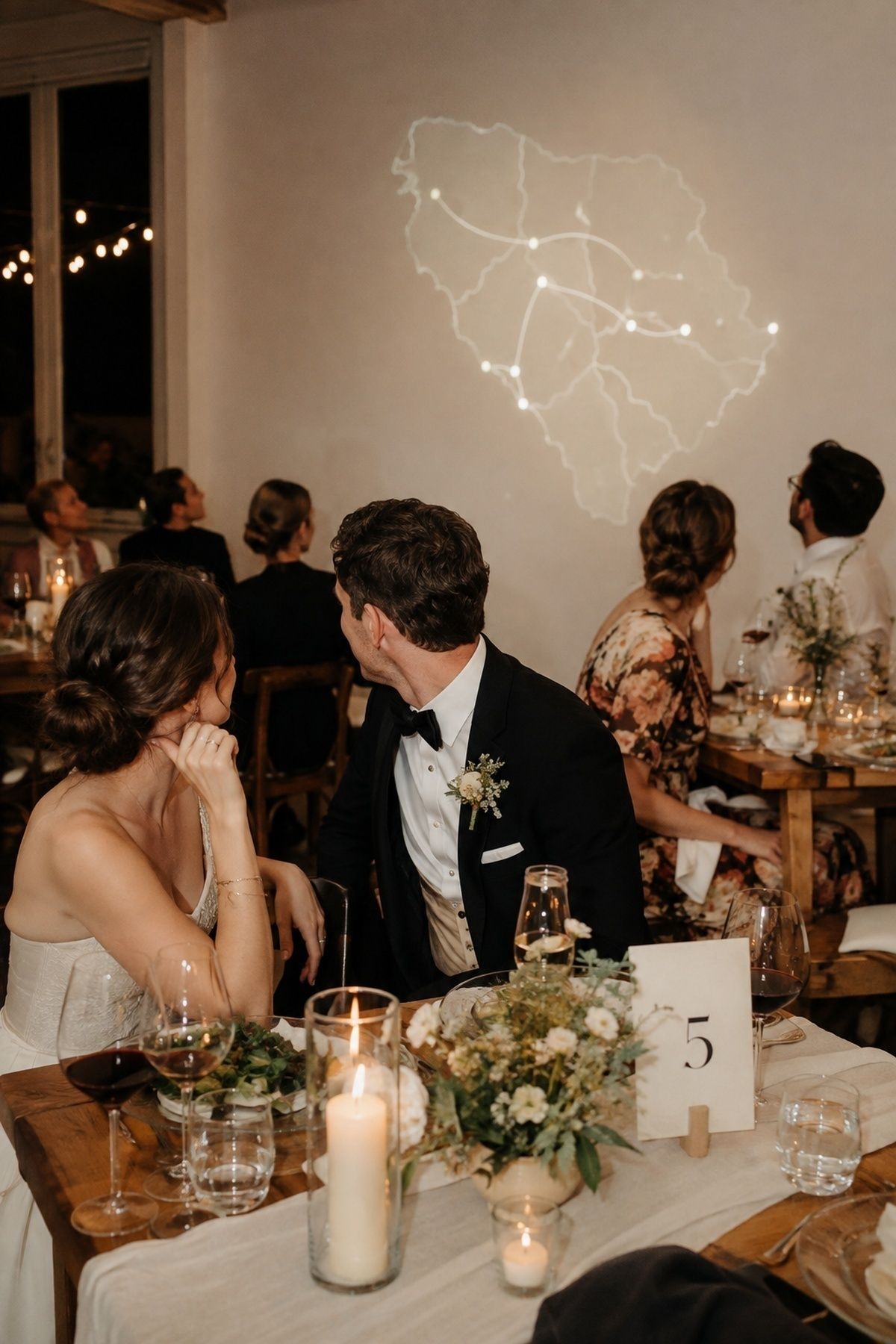
For a seated dinner, the projector can show a simple map of places that matter to the couple: where they met, where they got engaged, where families traveled from, or where each table name comes from. Instead of announcing the whole story, let the screen give guests something to notice between courses.
Keep text minimal. A location, date, and short caption are enough. If people need to lean forward or ask what the slide says, the design is too detailed for a reception room.
A Silent Film-Style Love Story
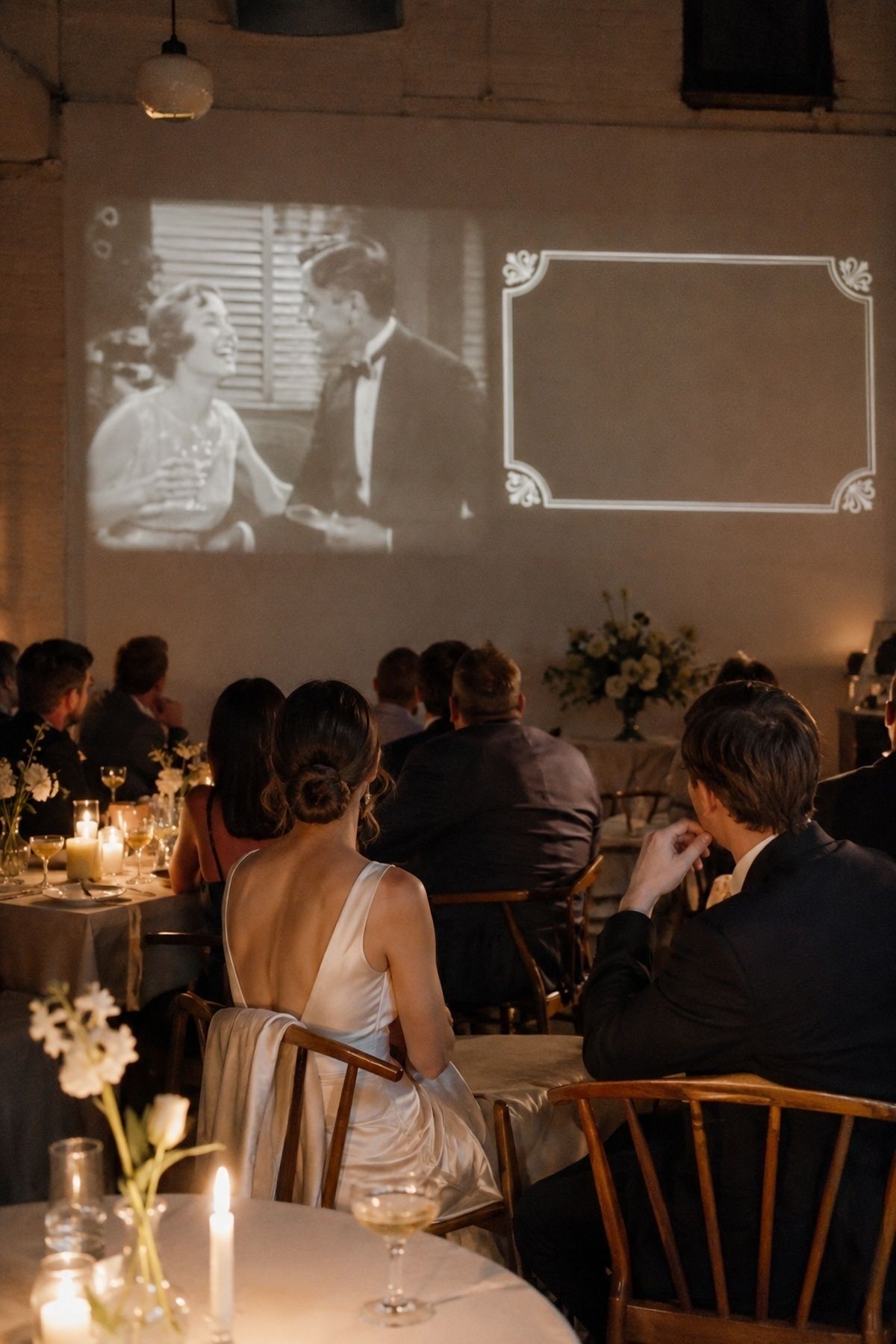
A silent film-style projection can be charming for a vintage dinner, restaurant wedding, or candlelit loft reception. Use black-and-white clips, title cards, old family footage, engagement videos, or staged little scenes from the couple’s life. The trick is to keep it playful without turning the room into a theater.
Because silent visuals do not need full-room audio, they are easier to run as background during dinner. Still, assign someone to start and stop the loop. A screen left running through every emotional moment eventually becomes clutter.
A Memory Wall For Absent Loved Ones
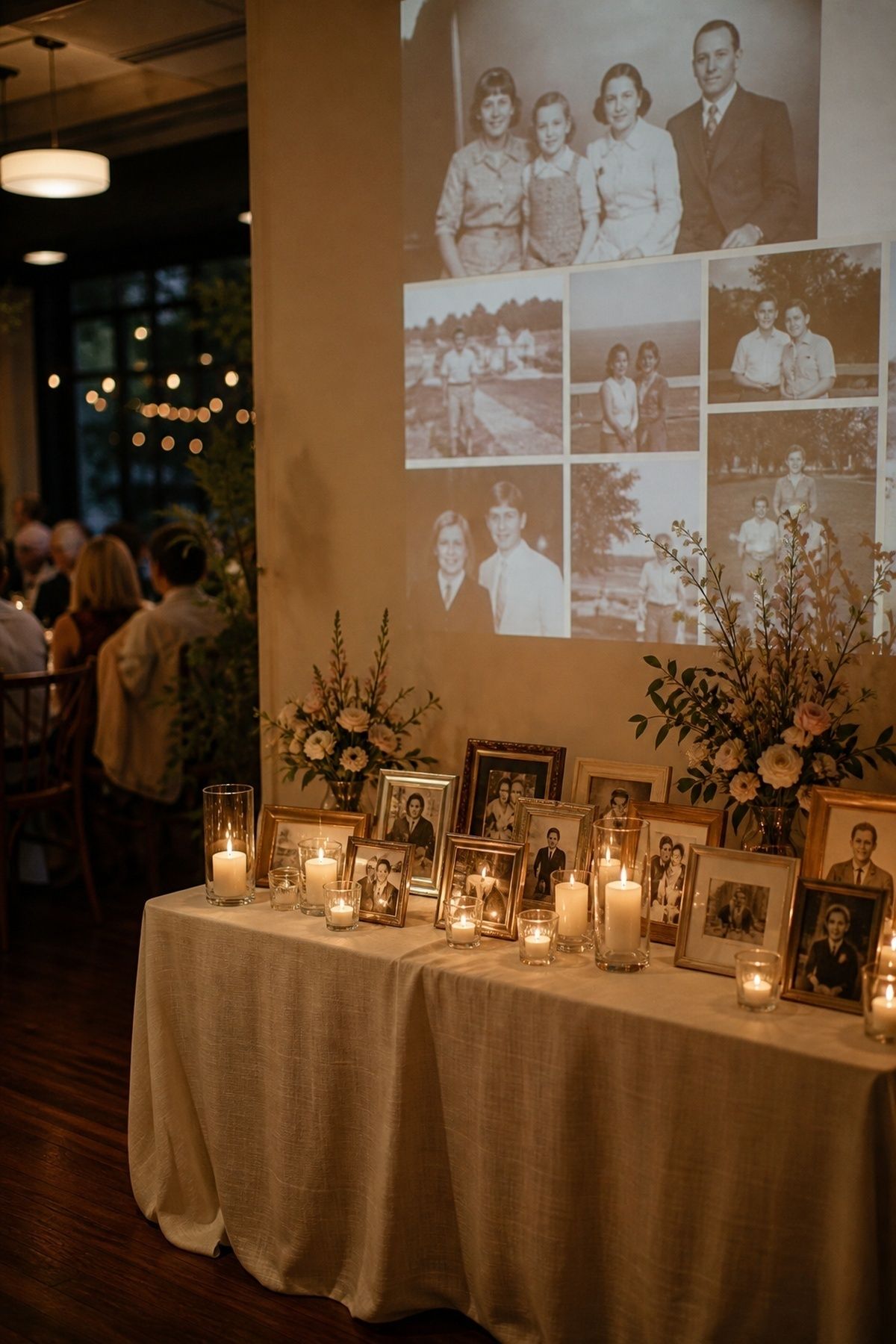
A memorial projection can be beautiful when handled softly. Instead of a long tribute video, consider a single portrait, a collection of family photos during pre-ceremony seating, or a quiet slide shown near a candle table. The screen should create presence, not a sudden change in the mood of the reception.
Tell your planner, officiant, or DJ exactly when this visual appears and disappears. Emotional timing matters. A memorial image during open dancing may feel jarring; the same image before the ceremony or during a family toast can feel deeply right. For a smaller guest list, browse reception ideas for a micro wedding.
How To Set Up A Wedding Projector Without Stress

Projection problems are usually predictable. The image is too faint because the room is too bright. The laptop cannot connect because nobody brought the right adapter. The sound comes from the wrong device. The file depends on wifi. The screen sits where half the guests have to twist in their chairs. None of this is glamorous, but solving it early protects the mood of the night.
Start with the venue. Ask whether they have a projector, screen, speakers, extension cords, cable covers, a dedicated AV contact, and any rules about taping cords or dimming lights. If the projector is built in, ask what input it uses. HDMI is common, but laptops may still need adapters, and newer devices often need USB-C or Lightning connectors.
Then test the exact file on the exact setup. Not a similar laptop. Not a preview on your phone. The actual slideshow, on the actual projector or screen, with the actual cable path and audio source. If that is impossible before the wedding day, schedule a test at least one hour before guest arrival and have a backup plan that does not require the screen.
Choose The Right Brightness For The Room
Ambient light is the quiet enemy of projection. A dim restaurant, private dining room, or evening tent can often handle a standard projector. A daylight ballroom, glass-walled venue, or room with bright house lights needs stronger equipment or a different screen plan. If the venue cannot dim the lights, ask an AV rental team what brightness makes sense for the room size and screen width.
Do not assume a higher number solves everything. Screen surface, screen size, throw distance, and competing light all matter. A smaller, brighter image on a clean screen is usually better than a giant pale image on a textured wall.
Place The Screen Where Watching Feels Natural
The screen should be visible from most seats without blocking the couple, the cake, the band, or the main flow of service. Corners are tempting, but a corner screen can become background nobody watches. Centered behind the couple can be too dominant. A side wall near the toast area often feels balanced, especially for a small reception.
Sit in the farthest chair during the test. If captions are unreadable or faces look tiny, simplify the slides or move the screen closer. If guests must turn away from the speaker to watch, adjust the order so the projection is its own moment rather than competing with a toast.
Make Backups Boring And Obvious
The safest slideshow lives in more than one place. Export it as an MP4 video, save the editable version, keep a copy on a USB backup drive, and send a cloud link to the planner or DJ. If the file has music, include the music in the exported video rather than relying on a separate playlist to start at the same time.
Name the final file clearly, such as reception-slideshow-final.mp4, and delete older versions from the handoff folder. Wedding-day helpers should not have to guess between final-final, latest, and real-final-this-one.
Protect The Room From Cable Chaos
Projectors need power, video signal, and often audio routing. That means cords. Ask where the nearest outlet is, whether the cable path crosses guest movement, and who is responsible for taping or covering cords. A beautiful slideshow loses its charm quickly if a server has to step over an exposed cable every time they carry plates.
If the projector sits on a table, keep that table out of the aisle and away from children, candles, champagne towers, and guest bags. If it sits on a stand, check the height and stability. Projection is part decor, part equipment, and it needs a little physical respect.
When To Use The Projector In The Wedding Timeline
The best timing is usually when guests are already seated and emotionally available. Dinner, dessert, or the transition before a first dance can work beautifully. Cocktail hour works for ambient visuals or live photo feeds, but it is rarely the best time for a meaningful video because guests are standing, greeting people, and finding drinks.
A ceremony projection needs the most caution because vows and processional movement should stay clear. If the projector requires a dark room, it may not suit an airy daytime ceremony. If the visual matters more than the equipment, consider printing the image for the ceremony and saving projection for the reception.
Build in a cue. Someone should know when the lights dim, who starts the file, whether the DJ introduces it, how long it runs, and what happens next. The moment after the slideshow is as important as the slideshow itself. Move into a toast, dessert, first dance, or a gentle return to dinner so the room does not sit in silence waiting for direction.
What To Avoid With Wedding Projector Ideas
Avoid using the projector for every part of the day. If the ceremony has visuals, cocktail hour has a photo wall, dinner has a slideshow, speeches include videos, and dancing has projections, guests may stop seeing the screen as special. Choose one main emotional use and one optional background use.
Avoid tiny text, long captions, vertical phone videos without formatting, inside jokes that exclude most of the room, and files that require perfect wifi. Avoid asking a random cousin to run the projector unless they actually understand the setup and are free during that moment. Most importantly, avoid treating the screen as a rescue plan for a reception that needs better timing. Projection should deepen the gathering, not fill an awkward gap. For more ideas in this vein, browse Ceremony & Reception.
FAQ
How do you use a projector at a wedding?
Use a projector at a wedding by choosing one clear purpose, placing the screen where guests can see it, testing the exact file and cables, routing audio through proper speakers, and assigning one person to start and stop the moment. The setup should be tested in the actual room light, not only on a laptop beforehand.
What can you show on a wedding projector?
You can show a couple slideshow, childhood photos, live guest photos, video messages, remote toasts, ceremony visuals, vow excerpts, memorial photos, table-name stories, ambient films, or a digital guest book. Choose visuals that match the mood of the wedding and are easy to understand from across the room.
Do you need a screen for a wedding projector?
A screen is not always required, but it usually makes the image brighter, cleaner, and easier to read. A smooth white wall can work in a dim room, while textured walls, dark paint, windows, and patterned surfaces often weaken the image. If the slideshow matters, a portable projector screen is usually the safer choice.
How bright should a projector be for a wedding reception?
The right brightness depends on room size, screen size, and ambient light. A dim private room may need far less output than a bright ballroom or daylight tent. Ask the venue or rental provider about lumens after describing the room, time of day, distance to the screen, and whether the lights can be lowered.
When should you play a wedding slideshow?
A wedding slideshow usually works best during dinner, between courses, after toasts, during dessert, or just before the first dance. Guests are seated, the room is ready to look in one direction, and the slideshow can become a shared emotional pause. Keep it short enough that the reception still has energy afterward.
What wedding projector ideas work for a small reception?
For a small reception, the best wedding projector ideas include a short couple slideshow, live guest photos, a remote family toast, a guest message wall, one-photo family stories, vow excerpts, or soft ambiance projection. Intimate guest lists make these moments feel personal because guests usually know the people and memories on screen.
Final Thoughts
A projector can turn a small wedding room into a shared memory without making the night feel overproduced. Give the screen a real job, keep the viewing moment short, test the lighting and sound, and let the visuals serve the people in the room instead of competing with them.
Before you lock the reception timeline, decide how the screen, sound, backups, and room light will behave together; a calm walkthrough of wedding slideshow setup can make the difference between a faded pause and a memory that fills the room.
Last update on 2026-11-29 / Affiliate links / Images from Amazon Product Advertising API